• We’re currently investigating an issue related to the forum theme and styling that is impacting page layout and visual formatting. The problem has been identified, and we are actively working on a resolution. There is no impact to user data or functionality, this is strictly a front-end display issue. We’ll post an update once the fix has been deployed. Thanks for your patience while we get this sorted.

Question PC has strange appcrashes and BSOD - extensive testing already done TEST details inside!

gfunk839

Junior Member
Okay so my pc has been filled with random BSODs and app crashes
I want to tear my HAIR out because I have two weeks off to finally game!
One of the most interesting issues is I cannot install PC games, always causes some kind of decompression issue...
Copying over preinstalled games lets me play, but crashes happen soon after ... at totally random times with no error messages
I have done extensive testing and swapping out parts to determine the fault. Here is spec list:
  • CPU: 4670k Linpack (OCCT) stable for 1 hour; NO OC, or any other system OC active.
  • MOBO: Asus z87 extreme 3 (no testing or swapping done yet directly)
  • PSU: Thermal take 650W gold (stable on OCCT PSU draw test - 30 min); further, app crashes happen mostly under load but not always, even on idle desktop
  • RAM: (2 x 4gb 1600 MhZ) ADATA; brand new swapped, with two sets of known working RAM, crashes still happen; passes memtest86
  • GPU: 1660 Gaming X (New; crashes occur with or without; even with old GTX 650)
  • HDD: 1TB WD Blue (New, had to buy because broke old SATA connection)
  • OS: Win 7 7601; reinstalled yesterday on new drive, still crashes.
  • Running sound through my display using nVidia driver, disabled onboard sound.
Games do work flawlessley for 2-5 min and then crash with no error message or straight into BSOD.
Typical BSOD: pagefile in nonpaged area, memory management - all RAM related.. but my RAM is fine I am sure of it.....
Based on the above, maybe the mobo is dead. Other components seem fine... What else could be causing these issues (data management related BSODs; can't unarc data...)
One guy suggested I try a new SATA cable.. I have one and will try after work, but not holding my thumbs .. any other ideas??

Thanks for your time!
Edit: Another issue is 7/10 times the PC won't shut down properly; shuts down and then powers on a few seconds later.
 
Last edited:
Removed heatsink, and CPU, and checked for bent pins? How long has the system been assembled in its current state, and has it always had this problem?
 
Removed heatsink, and CPU, and checked for bent pins? How long has the system been assembled in its current state, and has it always had this problem?
CPU has only been seated once, so I doubt any pins broken. This issues has occured in the last 6 months, but barely had time to use the PC
 
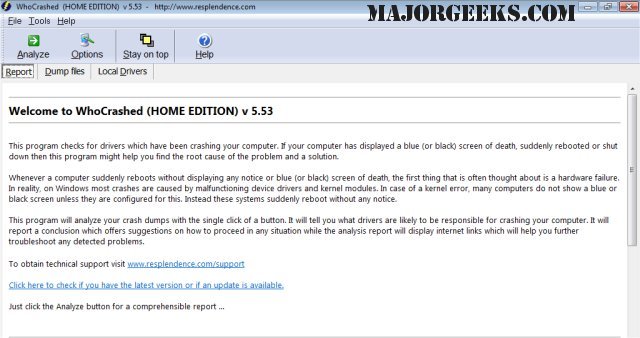
Download and run this freeware program called WhoCrashed, it'll allow you to read the Windows dump files and maybe pinpoint what's causing this:

 
Download and run this freeware program called WhoCrashed, it'll allow you to read the Windows dump files and maybe pinpoint what's causing this:

will do, thanks
 
There is a configuration setting as to whether Windows is configured to create memory dumps. I think it's under the "Virtual Memory", "Advanced" tab. Check Properties on Computer.

Edit: On Windows 10, open File Explorer. On the left-hand side, right-click on "This PC", select "Properties". Should open the front panel of Control Panel, system info. On the left-hand side, click on "Advanced System Settings". Then click on the "Advanced" tab, under "Startup and Recovery", click "Settings...", then under "System Failure", make sure that "Write Debugging Information" is set to to "Automatic Memory Dump".
 
There is a configuration setting as to whether Windows is configured to create memory dumps. I think it's under the "Virtual Memory", "Advanced" tab. Check Properties on Computer.

Edit: On Windows 10, open File Explorer. On the left-hand side, right-click on "This PC", select "Properties". Should open the front panel of Control Panel, system info. On the left-hand side, click on "Advanced System Settings". Then click on the "Advanced" tab, under "Startup and Recovery", click "Settings...", then under "System Failure", make sure that "Write Debugging Information" is set to to "Automatic Memory Dump".
I'm on Win 7, but I'm sure I have the equivalent setting enanbled..maybe it has something to do with the fact that the pc does not shut down correctly either?
 
CPU shutdown/restart issues are way more common and less fatal than what OP is describing.

How old is your PSU? And do you have software to monitor thermals (even weird stuff like VRM temps)?

I'd suggest troubleshooting from stage 1 with minimal components (motherboard outside case even). Single stick of RAM, single boot drive, single fan on CPU heatsink, no dGPU. Add or swap things one at a time whilst testing and narrow down issue in a super structured way.
 
CPU shutdown/restart issues are way more common and less fatal than what OP is describing.

How old is your PSU? And do you have software to monitor thermals (even weird stuff like VRM temps)?

I'd suggest troubleshooting from stage 1 with minimal components (motherboard outside case even). Single stick of RAM, single boot drive, single fan on CPU heatsink, no dGPU. Add or swap things one at a time whilst testing and narrow down issue in a super structured way.
Hello, thanks for the reply.

Yea I agree with your suggestion .. since I've been sitting with this issue for 4 montha I have essentially tested every rational combination... different drives, ram dimms, ram slots, hdd, gpu, iGPU...crashes always happen. I'm not sure of the exact age of the psu as a got it from a friend second hand. I am confident that it is okay since it can run the OCCT draw test at max complexity for ages (on my old psu it crashed in 30 sec). Yesterday, I did a DDU sweep and removed gpu, installed intel hd driver. Crashes in games still happen the exact same way. I'm convinced at this point it is the mobo. I'm waiting for ryzen prices to settle in my countey and will do a new build. Tired of struggling and wasting time.
 
There is a configuration setting as to whether Windows is configured to create memory dumps. I think it's under the "Virtual Memory", "Advanced" tab. Check Properties on Computer.

Edit: On Windows 10, open File Explorer. On the left-hand side, right-click on "This PC", select "Properties". Should open the front panel of Control Panel, system info. On the left-hand side, click on "Advanced System Settings". Then click on the "Advanced" tab, under "Startup and Recovery", click "Settings...", then under "System Failure", make sure that "Write Debugging Information" is set to to "Automatic Memory Dump".
I got one minidump caused by dxgkernel.sys suggesting graphics drivers However Yesterday, I did a DDU sweep and removed gpu, installed intel hd driver. Crashes in games still happen the exact same way.
 
Hello, thanks for the reply.

Yea I agree with your suggestion .. since I've been sitting with this issue for 4 montha I have essentially tested every rational combination... different drives, ram dimms, ram slots, hdd, gpu, iGPU...crashes always happen. I'm not sure of the exact age of the psu as a got it from a friend second hand. I am confident that it is okay since it can run the OCCT draw test at max complexity for ages (on my old psu it crashed in 30 sec). Yesterday, I did a DDU sweep and removed gpu, installed intel hd driver. Crashes in games still happen the exact same way. I'm convinced at this point it is the mobo. I'm waiting for ryzen prices to settle in my countey and will do a new build. Tired of struggling and wasting time.
I bet $3.50 the PSU is the issue*

*richaron does not guarantee payment of anything. Ever.
 
Back
Top