• We’re currently investigating an issue related to the forum theme and styling that is impacting page layout and visual formatting. The problem has been identified, and we are actively working on a resolution. There is no impact to user data or functionality, this is strictly a front-end display issue. We’ll post an update once the fix has been deployed. Thanks for your patience while we get this sorted.

Question OLED TV as a monitor?

MtSeldon

Senior member
I was looking for a new monitor.
Dell 32" IPS 4k monitor was my first choice but then LG C2 42" OLED TV was mentioned.

Price seems ok for a 42" OLED but there are other technical issues. Burn-in is the first issue of course. While I'm going to use it for some gaming and movie watching, a considerable amount of time it will be used in Word, Excel, VS Code.
Another problem is the RGB placement. Subpixels have the RGBW orientation. Some reviewers say text rendering is a bit of a problem, but I don't know how big the problem is or does it get better with some tweaking in Windows Settings.

Another alternative is on the way. But there is no info about the subpixel orientation.
Philips 42M2N8900 from the Evnia 8000 series is unveiled with a 42" 4K OLED display and a 138Hz refresh rate (displayspecifications.com)

So, any advice or experience about these?
 
Obliviously text rendering problem is expected but how bad it is not obvious.

Most advantage is during media consumption. But better contrast, huge screen, colors are advantage for Office apps too.

This reviewer was able somewhat to fix the rendering on Alienware OLED using a third-party utility.
 
Last edited:
One thing to know about OLED: the brighter you run it with static onscreen elements, the greater the chances of burn-in.

Using it for productivity apps: that's a total waste of money. I suggest that you keep a 2nd smaller LED 4K TV for the productivity tasks. Bad idea to endanger your OLED.
 
But better contrast, huge screen, colors are advantage for Office apps too.
How does better contrast or colurs provide an advantage for office type apps? Sure, it's nice to have, but not necessary, and it's not like IPS screens are horrible in either colours or contrast. And unless you are working in a dark environment, the brighter LCD screens provide an advantage over OLED, which can negate its better contrast but limited brightness.

You can get 40+" monitors, so size is irrelevant.
https://www.dell.com/en-ca/shop/del...20q/apd/210-avke/monitors-monitor-accessories
 
I have the LG C1, and burn in doesn't worry me. Black Friday will be my first year with it, and it still looks new. The C2 will be even better, and it comes in a 42" (The smallest C1 was the 48") You really have to be try to get burn in. Unless you do dumb sh#$ you will be fine.
 
I'm currently writing this on my HTPC, which is hooked up to my 65" C1. Now, that's not exactly the same as a 42" C2, but it's fairly close. Honestly, the text looks absolutely fine. I even moved my position to about 3 feet away from the TV, and I still have no complaints. Now, one factor that could influence my thoughts on clarity is that -- given that I'm running a large display and typically sitting ~8 feet away, I'm usually running it at 200% resolution scaling. Well, I just turned it off, and my goodness... this text is kind of small now. (Surprise! 😋) It's still very usable at this three-foot distance, but it is making my eyes work a bit more. Leaning in real close, I don't notice any issues with the text, but also... does the color of the text matter at all? I'm using AnandTech's dark mode, which is white text on a dark gray background.

I do take some of the precautions that others take with using an OLED as a monitor. I have the taskbar set to be hidden, I use a solid black background with no desktop icons, and I have a screensaver (the black one with the weird color effects... you could go full black, but I like being able to see that I'm on a screen saver). One thing you do have to be aware of is that Windows may not hide your taskbar as expected if you have any notifications.

As a side note, now that I have my monitor in 100% scaling, I'm messing around a bit with the window splitting feature in Windows. It's never something that I've used much because I don't have a huge reason to do it with a high scaling factor or a smaller monitor. I have to say that it works fairly well. I've been using it a bit on Linux, and I don't know if I'm missing some of the Linux hotkeys, but the Windows one really lets you adjust things quickly with WIN+<Arrow Key>. I do that on Linux too, but it's the extra things like splitting again horizontally that I haven't seen before.
 
I ran a CX 48 for two years before recently switching to a C2 42. The 42 is the perfect size. Text looks great even compared to the Dell U3223 IPS I keep next to it for my work computer. Keep a reasonable brightness level for regular desktop use and burn in is a non-issue. I disable ASBL with the service remote and don’t worry about it.
 
I ran a CX 48 for two years before recently switching to a C2 42. The 42 is the perfect size. Text looks great even compared to the Dell U3223 IPS I keep next to it for my work computer. Keep a reasonable brightness level for regular desktop use and burn in is a non-issue. I disable ASBL with the service remote and don’t worry about it.
What made you upgrade to the C2?
 
What made you upgrade to the C2?

The 48 is too big to comfortable use as a monitor. The 42 comes with a shallower stand too -- so it sits ~4-5 inches further back on my desk. That combined with the smaller size makes it really nice to use for both gaming and desktop usage without resorting to a wall mount or otherwise keeping the screen far away.

Besides that it isn't really an "upgrade", the panel feels exactly the same as the outgoing CX and C1 to me.
 
The 48 is too big to comfortable use as a monitor. The 42 comes with a shallower stand too -- so it sits ~4-5 inches further back on my desk. That combined with the smaller size makes it really nice to use for both gaming and desktop usage without resorting to a wall mount or otherwise keeping the screen far away.

Besides that it isn't really an "upgrade", the panel feels exactly the same as the outgoing CX and C1 to me.
I sort of knew that, but I don't plan to upgrade to the 42 inch. Not yet anyway. Maybe with the C3, or a QD-OLED monitor.
 
In regard to the 42" C2, ASUS has a monitor variant of the 42" C2 called the PG42UQ that would likely be better if you're mostly looking for it as a monitor. The one downside is that there appear to be some good discounts on the 42" C2 that you just won't get on that ASUS right now since the monitor hasn't really been in stock enough to see discounts. So, you can get the TV for under $1k where the monitor will cost the $1.4k MSRP.
 
Thank you . I checked that one.

it seems to be the same panel. It has matte clothing, arguably better in certain use cases.
Also, LG C2 doesn't have display port support but has more Hdmi 2.1 ports. I'm not sure what are the benefits of displayport over hdmi 2.1 are.
But it's almost %40 more expensive. and since its the same panel , not worth paying the extra I think.
 
Last edited:
I'm currently writing this on my HTPC, which is hooked up to my 65" C1. Now, that's not exactly the same as a 42" C2, but it's fairly close. Honestly, the text looks absolutely fine. I even moved my position to about 3 feet away from the TV, and I still have no complaints. Now, one factor that could influence my thoughts on clarity is that -- given that I'm running a large display and typically sitting ~8 feet away, I'm usually running it at 200% resolution scaling. Well, I just turned it off, and my goodness... this text is kind of small now. (Surprise! 😋) It's still very usable at this three-foot distance, but it is making my eyes work a bit more. Leaning in real close, I don't notice any issues with the text, but also... does the color of the text matter at all? I'm using AnandTech's dark mode, which is white text on a dark gray background.

I do take some of the precautions that others take with using an OLED as a monitor. I have the taskbar set to be hidden, I use a solid black background with no desktop icons, and I have a screensaver (the black one with the weird color effects... you could go full black, but I like being able to see that I'm on a screen saver). One thing you do have to be aware of is that Windows may not hide your taskbar as expected if you have any notifications.

As a side note, now that I have my monitor in 100% scaling, I'm messing around a bit with the window splitting feature in Windows. It's never something that I've used much because I don't have a huge reason to do it with a high scaling factor or a smaller monitor. I have to say that it works fairly well. I've been using it a bit on Linux, and I don't know if I'm missing some of the Linux hotkeys, but the Windows one really lets you adjust things quickly with WIN+<Arrow Key>. I do that on Linux too, but it's the extra things like splitting again horizontally that I haven't seen before.

I do all these things too with a 77" one at 4-5' away. The PC is mainly for games and movies but works pretty well as a desktop and productivity monitor. I never have windows maximized and typically have several open at once. Burn in is dependent on the brightness, but anything beyond an OLED Light setting of 25 or so is too bright for reading text anyway. I previously had a 55 model and used it in the same way.
 
In my opinion, the following seem on topic:
and

In my region a lg c2 is $400 cheaper then the Asus PG42UQ.


All of the features that set the Asus apart from the LG c2 would benefit me.

But the lg c2 is $400 cheaper. The Asus seems to be coming and going out of stock, so no price cuts likely there.
 
Last edited:
In my opinion, the following seem on topic:
and

In my region a lg c2 is $400 cheaper then the Asus PG42UQ.


All of the features that set the Asus apart from the LG c2 would benefit me.

But the lg c2 is $400 cheaper. The Asus seems to be coming and going out of stock, so no price cuts likely there.
Matte coating is a matter of taste. IF you are in an office where you cant control the envoriement than its very important but I use it at home , IO dont want the trade off of losing the color clarity.

The most important features seem to be burn it related.
And LG C2 doesn't go into sleep mode once the signal from the computer is lost. So this is a bit problem.

Other than that , LG C2 looks like a decent choice and the price is fine too. Asus isn't worth the extra $400.
 
Matte coating is a matter of taste. IF you are in an office where you cant control the envoriement than its very important but I use it at home , IO dont want the trade off of losing the color clarity.

The most important features seem to be burn it related.
And LG C2 doesn't go into sleep mode once the signal from the computer is lost. So this is a bit problem.

Other than that , LG C2 looks like a decent choice and the price is fine too. Asus isn't worth the extra $400.
For me a Matte coating is quite the perk. Each to their own.

I thought the uniform brightness was second in value. Apparently the lg c2 changes brightness both on the content of the screen (how many brightly colored windows are opened) and "randomly" seemingly based on how long pixels have been lit.

The proper monitor support could be quite good. Set it to 15 minutes and it should save electricity and burn in. Unlikely to save $400 in electricity though.


Asus isn't worth the extra $400.
That is the crux of the matter. 29% cheaper. No small thing.

$400 is a lot to ask for:
proper monitor support
uniform brightness
matte coating
heat sink
display port
a few extra Hz of refresh rate
4 port USB 3.2 hub
nicer stand I am not planning to use anyway
speakers I do not need
rgb which I will turn off anyway
 
Last edited:
Uniform brightness is nice, but it also , you can turn it on on LG C2 too but voids the warranty. Burn in is easier with that.
Heat sink is important , I'm not sure how much really but would be nice to have it on C2

Since the Display port is 1.4 , its not as advanced as HDMI 2.1 , but still a worthy add on.

Some of these problems can be solved with a firmware update on C2 , but LG is highly unlike to release on since its not the first intended use.
 
This reviewer was able somewhat to fix the rendering on Alienware OLED using a third-party utility.

Both the LG C2 42 and the PG42UQ have better text rendering then the AW3423DW.

Apparently the linear WBGR layout is better then Triangular GRB. Is said to play nicer with windows cleartype. With the LG C2 apparently it manually has to be set to 4:4:4 chroma.

Nether are RGB though, and apparently the average IPS panel will be superior.


There are reports of blue fringing that I could not find outside of reddit with the c2 and pg42uq.
 
Last edited:
I would actually pay quite a bit more for the glossy coating if I had to. It looks way nicer in a darker room, and it used to be hard to find PC monitors with it back in the day.
 
I ordered the lg c2 42 on Amazon. I get an additional 5% off there. Lets hope it does not get cracked in shipping, supposed to arrive Nov 10th.

Tried to talk myself into the Asus, but the $450 reasons to go with the lg were very persuasive.
 
Last edited:
Lets hope it does not get cracked in shipping, supposed to arrive Nov 10th.
The boxes are really sturdy and there is ample protection all around the TV. Only way it gets cracked is if something heavy falls directly on the middle of the box. Also, there may be a thin plastic sheet at the back of the TV. You are supposed to peel it off. Otherwise, it may get too hot.
 
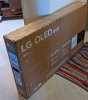
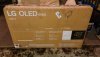
Bought this one from Best Buy last week with the 5-year plan, includes image retention/burn-in panel replacement.
20221103_142322.jpg

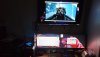
Wall mounted attached to a Xfinity cable box, Samsung UHD Blu-ray player, and the PC. 😉
20221109_192515.jpg

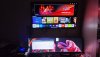
Testing a 4K video via VLC media player. Was intending to place an old Vizio VSB200 soundbar below the LG C2, but right now the sound is remarkable.
Screen is set at 120Hz via HDMI 2.1 using a eVGA RTX 3090 FTW3 Ultra Gaming.
20221109_194112.jpg


Last edited:
Both the LG C2 42 and the PG42UQ have better text rendering then the AW3423DW.

Apparently the linear WBGR layout is better then Triangular GRB. Is said to play nicer with windows cleartype. With the LG C2 apparently it manually has to be set to 4:4:4 chroma.

Nether are RGB though, and apparently the average IPS panel will be superior.


There are reports of blue fringing that I could not find outside of reddit with the c2 and pg42uq.
This all turned out to be a non-issue.
 
Back
Top