rayded
Junior Member
Hello,
I am sorry, I don't know if i chose the right topic to post this on.
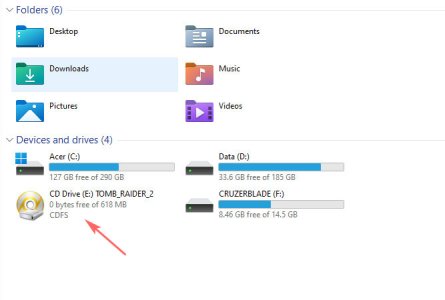
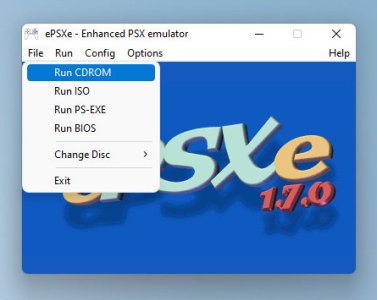
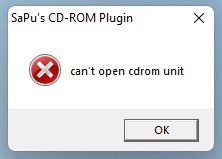
So i've been trying to play a psx game (tomb raider 2), mounted the game iso with poweriso on windows 11, and when i play "Run CDROM" on epsxe file menu, it pops an error message saying "can't open cdrom unit".
If i play it with "run iso" (not mount the cd) from epsxe file menu,select the iso from file explorer, the game running fine, but the problem is that game will froze at a point if we don't play it by mounting it as virtual cd.
The problem only exist when i run epsxe on windows 11, i tried with my other laptop with windows 7 and the game running normal.
I attached some snapshot of the epsxe i use and the error message.
How to solve this so i can just use one laptop/windows to play them? any help very appreciated. Stay healthy.
I am sorry, I don't know if i chose the right topic to post this on.
So i've been trying to play a psx game (tomb raider 2), mounted the game iso with poweriso on windows 11, and when i play "Run CDROM" on epsxe file menu, it pops an error message saying "can't open cdrom unit".
If i play it with "run iso" (not mount the cd) from epsxe file menu,select the iso from file explorer, the game running fine, but the problem is that game will froze at a point if we don't play it by mounting it as virtual cd.
The problem only exist when i run epsxe on windows 11, i tried with my other laptop with windows 7 and the game running normal.
I attached some snapshot of the epsxe i use and the error message.
How to solve this so i can just use one laptop/windows to play them? any help very appreciated. Stay healthy.