• We’re currently investigating an issue related to the forum theme and styling that is impacting page layout and visual formatting. The problem has been identified, and we are actively working on a resolution. There is no impact to user data or functionality, this is strictly a front-end display issue. We’ll post an update once the fix has been deployed. Thanks for your patience while we get this sorted.

Question BIOS hangs during boot if Intel Virtualization is turned on

MtSeldon

Senior member
When Intel Virtualization from BIOS is turned on, BIOS hangs during cold boot and asks to enter the BIOS settings. Even if I don't change any settings at all, Intel Virtualization is turned off automatically, I it boots just fine, and Windows works properly. But of course, anything requires Intel virtualization doesn't work, like the new "application guard window" on Edge browser.
If I boot into BIOS and turn it on again, everything works fine until the next cold start. It hangs in the bios boot agian.

I don't even know where I should be looking. Any ideas what the problem may be?

My rig.
Sapphire Tri-X 290
Asus Maximus VI hero (latest firmware, a motherboard from 2013 tough)
intel 4770k
16 gb Corsair memory @ 1333mhz
Windows 10 with the latest updates.
 
Have you tried to reset the CMOS memory? It might also be a good idea to replace the CMOS battery if you haven't done this already.

If CMOS reset and BIOS re-flashing does not fix the issue, try flashing the BIOS back to the next to most recent release as there might be a bug in the last one.

EDIT:
BTW, I believe the 4770K does not support VT-d, only VT-x. So, if you are setting VT-d in the BIOS, that is the problem. I'm not sure what virtualization options are available under the Advanced options setting of that motherboard.

Funny thing is that the non-k 4770 DOES support VT-d. I believe that Haswell was the last gen CPU where this was the case.


Last edited:
That's a bit weird .
Why would the K version of the CPU not support a technology the limited one supports?
and is not having the VT-d prevent the computer run sandbox in Windows 10?
 
I think that you have found the problem! OP is trying to get his PC to do something, that the parts as configured are not capable of doing.
But that would be weird too. Since once it boots into windows , all features that use the Virtualization functions works just fine .

Maybe it's time to upgrade already. Ryzens looks delicious ...
 
That's a bit weird .
Why would the K version of the CPU not support a technology the limited one supports?
and is not having the VT-d prevent the computer run sandbox in Windows 10?

This is Intel we are talking about here. It is just one of those many stupid business decisions that Intel always used to make to justify artificially differentiating their product lines while they had no real competition. VT-d was seen as a "business-only" technology by Intel, while the 'k' series processors were strictly sold for higher profit margins to non-business enthusiasts who didn't need "business" features (at least, according to Intel loopy logic anyway).

Now, that being said, most of your virtualization stuff should run just fine with VT-x which is probably why everything you are trying is working once you get the system to boot up. Are there any other virtualization settings in the BIOS under the advanced options (or maybe just a setting for enabling VT-x vs VT-d)?

EDIT:
According to your motherboard manual, what you need to do is just turn on the Virtualization option on the main menu. Leave VT-d disabled under the System Agent Configuration menu since your processor doesn't support this. By doing this, Windows will be able to detect that your processor supports VT-x and enable running virtualized software. If you do this and it continues locking up, you have a motherboard issue of some sort (maybe you need to pull it and reinstall to ensure you don't have a mounting problem resulting in a ground loop somewhere, or a bent CPU pin, etc).

FWIW, I have a 3770k in one of my daily drivers and have no problems running virtualized software on it via VMware Workstation Professional. It doesn't pass IO through to VMs (which is what VT-d was intended to do), but the only software that supports that anyway is ESXi which is way expensive overkill for me and what I do (and for what you probably intend to do, too).
 
Last edited:
I would aim at a Firmware bug, may be worth to test if it behaves differently it downgrading the BIOS. It can also be that you have a battery issue and that the BIOS settings resets, with virtualization extensions defaulting to off (Which is quite common).


This is Intel we are talking about here. It is just one of those many stupid business decisions that Intel always used to make to justify artificially differentiating their product lines while they had no real competition. VT-d was seen as a "business-only" technology by Intel, while the 'k' series processors were strictly sold for higher profit margins to non-business enthusiasts who didn't need "business" features (at least, according to Intel loopy logic anyway).
Intel used to do that like 7 years ago or so. VT-d began to be included in the overclockable K series beginning with Haswell Refresh / Devil's Canyon (Ci7 4790K). Broadwell and everything after it has VT-d across the entire Core iX lineup.
 
This is Intel we are talking about here. It is just one of those many stupid business decisions that Intel always used to make to justify artificially differentiating their product lines while they had no real competition. VT-d was seen as a "business-only" technology by Intel, while the 'k' series processors were strictly sold for higher profit margins to non-business enthusiasts who didn't need "business" features (at least, according to Intel loopy logic anyway).

Now, that being said, most of your virtualization stuff should run just fine with VT-x which is probably why everything you are trying is working once you get the system to boot up. Are there any other virtualization settings in the BIOS under the advanced options (or maybe just a setting for enabling VT-x vs VT-d)?

EDIT:
According to your motherboard manual, what you need to do is just turn on the Virtualization option on the main menu. Leave VT-d disabled under the System Agent Configuration menu since your processor doesn't support this. By doing this, Windows will be able to detect that your processor supports VT-x and enable running virtualized software. If you do this and it continues locking up, you have a motherboard issue of some sort (maybe you need to pull it and reinstall to ensure you don't have a mounting problem resulting in a ground loop somewhere, or a bent CPU pin, etc).

FWIW, I have a 3770k in one of my daily drivers and have no problems running virtualized software on it via VMware Workstation Professional. It doesn't pass IO through to VMs (which is what VT-d was intended to do), but the only software that supports that anyway is ESXi which is way expensive overkill for me and what I do (and for what you probably intend to do, too).
Thank you for the information.
I just checked , but there is no option for the VT-d in System Agent Configuration on my BIOS.

if it was a hardware problem or battary probably it would hang every time. It only hangs if the Intel virtualization is turned on in the bios and it doesn't hang like %60-70 of the time. Now that I noticed , it returns the bios and hangs after Windows boot process starts .
Weird problem, there must be a problem with the Windows 10 virtualization and BIOS.
 
While it likely has nothing to do with your issue, if you are not already doing so, I suggest using InSpectre to turn off software mitigations for spectre and meltdown. It helps ensure you are getting the best performance.
 
Have you tried to reset the CMOS memory? It might also be a good idea to replace the CMOS battery if you haven't done this already.

If CMOS reset and BIOS re-flashing does not fix the issue, try flashing the BIOS back to the next to most recent release as there might be a bug in the last one.

EDIT:
BTW, I believe the 4770K does not support VT-d, only VT-x. So, if you are setting VT-d in the BIOS, that is the problem. I'm not sure what virtualization options are available under the Advanced options setting of that motherboard.

Funny thing is that the non-k 4770 DOES support VT-d. I believe that Haswell was the last gen CPU where this was the case.


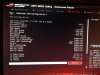
Just checked the BIOS again. Here it shows, VT-X is supported. But SMX isn't. Can this be related?
Is it possible some new virtualization function in Windows is checking for VT-d and when it cant find ,it's dropping back to BIOS,disabling inten-v?
 

Attachments

  • BIOS.jpg
    BIOS.jpg
    784.8 KB · Views: 3
Last edited:
Back
Top