• We’re currently investigating an issue related to the forum theme and styling that is impacting page layout and visual formatting. The problem has been identified, and we are actively working on a resolution. There is no impact to user data or functionality, this is strictly a front-end display issue. We’ll post an update once the fix has been deployed. Thanks for your patience while we get this sorted.

Question I don't understand the benefits of higher Hz on monitors

Page 2 - Seeking answers? Join the AnandTech community: where nearly half-a-million members share solutions and discuss the latest tech.
Pretty sweet and HDR400 should ensure that the pixels don't get too bright so it should be fairly immune to burning out too soon. You will however need to view it in dim lighting to get the best HDR experience in games and streaming movies from Netflix etc. Just watch any HDR video on Youtube related to the cosmos with stars and galaxies and it will immediately be obvious how fantastic it looks. HDR nightscape videos on Youtube too. In normal lighting, it will look good and almost indistinguishable from IPS with better viewing angles.
 
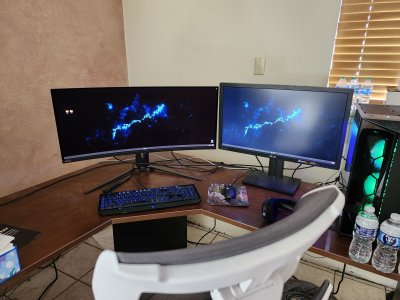
The whole setup needs to be moved around due to the remarkably short display cable, but it's a massive difference just side-by-side. Now to do some testing.

I'm guessing there's tweaks as well, but I just got it connected so I'm still playing around with everything.20250405_143501.jpg
 
I worry that if I ever set up a multi-display setup for myself at home that I would never be able to go back. At 1080p things sometimes feel a little cramped, when doing my business accounts I have to arrange my windows carefully do get all the info I need on one screen. It's manageable.
 
I worry that if I ever set up a multi-display setup for myself at home that I would never be able to go back. At 1080p things sometimes feel a little cramped, when doing my business accounts I have to arrange my windows carefully do get all the info I need on one screen. It's manageable.
Honestly for work stuff that involves text two "cheap" Dell 1920x1200 24" is a great set up and costs about £300.
Convinced my wife to try that out and there's no way she'd move from it now.
 
I fancy a distraction-free display consumption cubicle where I'm surrounded by monitors on all sides and I swivel on my chair to look at them as needed. I think that's one way to force employees to be productive. The cubicle would ensure that they are totally isolated and forced to chat with their coworkers through some app, improving their written communication skills and keeping the office mostly quiet, thus maintaining a serene atmosphere for maximum work accomplishments. And if they get bored, they can swivel at will.

 
I worry that if I ever set up a multi-display setup for myself at home that I would never be able to go back. At 1080p things sometimes feel a little cramped, when doing my business accounts I have to arrange my windows carefully do get all the info I need on one screen. It's manageable.
I've recently moved to multimonitor setup and now Im concerned that two monitors is... not enough.

😛
 
Back
Top