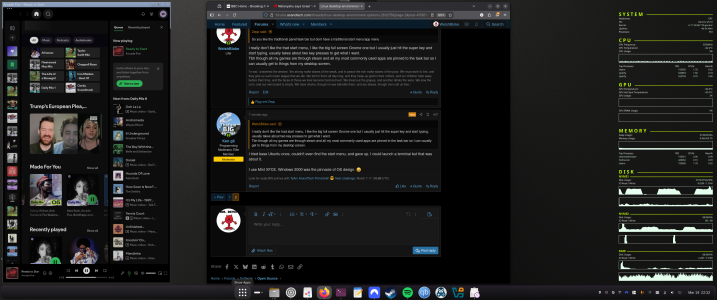
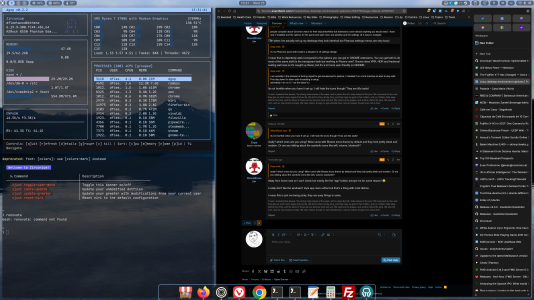
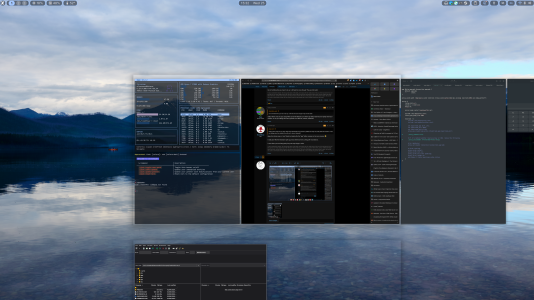
• We’re currently investigating an issue related to the forum theme and styling that is impacting page layout and visual formatting. The problem has been identified, and we are actively working on a resolution. There is no impact to user data or functionality, this is strictly a front-end display issue. We’ll post an update once the fix has been deployed. Thanks for your patience while we get this sorted.

Linux desktop environment opinions

Page 2 - Seeking answers? Join the AnandTech community: where nearly half-a-million members share solutions and discuss the latest tech.
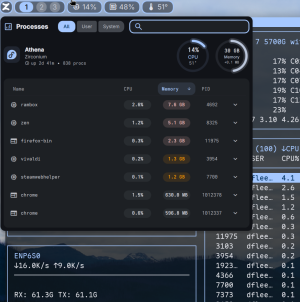
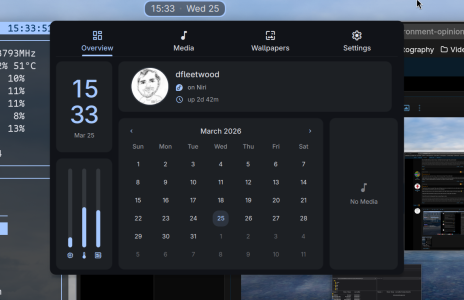
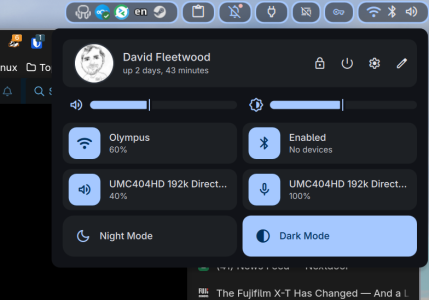
DankMaterialShell on distro of choice (I use Bluefin on my desktop, and Zirconium on my laptop).


niri + Quickshell are an awesome combo for newer approaches to the desktop.
 
No workflow, not being creative, KDE Plasma is working out fine for me to game and do daily driver stuff.
 
Honestly I'm a Gnome fan boy, but if you want everything to work KDE is probably the better choice!
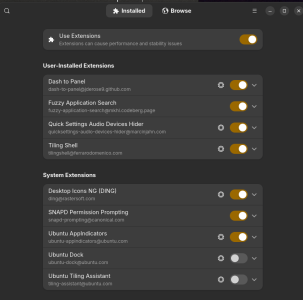
I'm curious what extensions you like to use in GNOME

When I use it I add arc menu, dash to panel and desktop icons and it's pretty much as configurable as you want from that point.
 
I'm curious what extensions you like to use in GNOME

When I use it I add arc menu, dash to panel and desktop icons and it's pretty much as configurable as you want from that point.
I'm away from home this weekend but from memory I don't have many. Dash to panel, a Windows snap one, probably a couple of others.
I'll check when I get home.
 
Cinnamon for me. Mint was what I tried back at the beginning of 2022 and haven't seen a reason to change. Went on an old laptop for the kids at first, and now it's on that laptop plus five (maybe more) desktops. Wife and kids both use it with zero issues. In action, it feels like Windows 7 but modernized under the hood.

I don't think I would mind most of them, I switch between Mint and Mac so it's just about using the machine, not worrying too much about the DE. On Mint, I fiddled with the new 'start' menu, add the transparent panels applet, and set a wallpaper, which is pretty much the extent of customizing.

I do think if you're doing Cinnamon, you should probably be trying Mint at the same time, made by the same people and Mint comes with all the QoL little GUI bits as well.

Nowadays, Windows 10 and 11 feel like the weird unknown OS to me.
 
Less than I remembered tbh.
So you like the traditional panel/task bar but dont have a traditional start menu/app menu

I have on occasion used an extension that maps super key to open applications overview instead of activities so it feels a little like the old windows 8 fullscreen start menu
 
So you like the traditional panel/task bar but dont have a traditional start menu/app menu
I really don't like the trad start menu, I like the big full screen Gnome one but I usually just hit the super key and start typing, usually takes about two key presses to get what I want.
Tbh though all my games are through steam and all my most commonly used apps are pinned to the task bar so I can usually get to things from my desktop screen.
 
I really don't like the trad start menu, I like the big full screen Gnome one but I usually just hit the super key and start typing, usually takes about two key presses to get what I want.
Tbh though all my games are through steam and all my most commonly used apps are pinned to the task bar so I can usually get to things from my desktop screen.
I tried base Ubuntu once, couldn't even find the start menu, and gave up. I could launch a terminal but that was about it.

I use Mint XFCE. Windows 2000 was the pinnacle of OS design. :grinning:
 
I've really tried to like KDE Plasma, but always just find myself drifting back to MATE and Cinnamon.
For me Plasma feels like Vivaldi web browser or Total Commander file manager, way more options than I'd ever want or need and I spend too much time searching for options to toggle just to get the desired default behavior.
I had to ask chatgpt where to find the simple system info in a debian12 plasma VM I was testing. I ultimately gave up and asked the terminal command to just show what version of plasma it shipped with.

Cinnamon should be the perfect desktop for me, but I have had a history of bugginess with it. desktop applets crashing, display manager freezing, lock screen forgetting hotkeys. This was mostly on Fedora 41 though, not mint.
 
GNOME (particularly 3 and later) is usually blamed for being the opposite: way less options than everyone needs.
people complain about Gnome's vision for their layout/workflow but extensions cover almost anything you would need. I have only 3 installed and the options for the panel and start menu are plentiful and the settings UI is easy to navigate. To me Plasma's panel edit mode is a disaster of UI settings design.


I am actually in the process of forcing myself to get accustomed to plasma. I installed it on a 2nd machine at work to play with. First day down it's been quite frustrating to setup.
admittedly I am on 5.7 not the latest 6.x
 
people complain about Gnome's vision for their layout/workflow but extensions cover almost anything you would need. I have only 3 installed and the options for the panel and start menu are plentiful and the settings UI is easy to navigate.
TBH when I've actually set up my desktops they look identical but Plasmas settings menus are very busy!
To me Plasma's panel edit mode is a disaster of UI settings design.
I mean that is objectively awful compared to the options you can get in GNOME extensions. You can get both to do most of the same stuff (is the transparent task bar working in Plasma now? Gnome does VRR, HDR and fractional scaling well now so it's caught up there), but it's a lot more user friendly on GNOME.
I am actually in the process of forcing myself to get accustomed to plasma. I installed it on a 2nd machine at work to play with. First day down it's been quite frustrating to setup.
admittedly I am on 5.7 not the latest 6.x
Its not horrible when you have it set up. I still hate the icons though! They are 80s tastic!
 
Its not horrible when you have it set up. I still hate the icons though! They are 80s tastic!
really? which ones are you using? Mine came with Breeze icons theme by default and they look pretty sleek and modern. Or are you talking about the symbolic icons like wifi, volume, bluetooth?
 
really? which ones are you using? Mine came with Breeze icons theme by default and they look pretty sleek and modern. Or are you talking about the symbolic icons like wifi, volume, bluetooth?
Away from home now so I can't check but mainly the the "app" button annoys me for some reason! 😂

I really don't like the windows7 style app menu either but that's a thing with most distros.

I mean this is just me being picky, they are easy things to solve.
 
This is the thing about Linux I'm starting to love. You have choices if you care, and if you really care you can make it look like anything you want!
And if you're not bothered too much you can pick a distro that you think looks nice and live with that.
Yes. What excites me is how bootc and wayland have made it trivial to make resiliant distros you can swap between (universal blue for instance) and new UI/UX designs to break out of the old taskbar/start menu paradigm we've relied on for 30 years now.
 
And if you're not bothered too much you can pick a distro that you think looks nice and live with that.
Not bothered at all and I did not pick the distro based on looks.
It seems that the only extension that I have in Gnome is "Launch new instance".
I have (re)bound the Home key to Lock Screen for easier access.

However, for technical reasons I have had to set up the same distro for others with MATE and LightDM.

You have choices if you care, and if you really care you can make it look like anything you want!
Indeed. Alas, the "can choose" can be overwhelming if one is used to being spoon-fed with "the one truth", and figuring out the how to make what you want is not trivial -- at least on first time.
 
Last edited:
Back
Top