Coolharmony2
Member
Hi all,
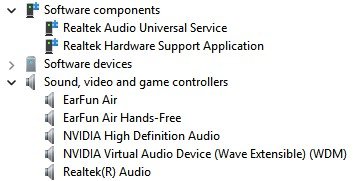
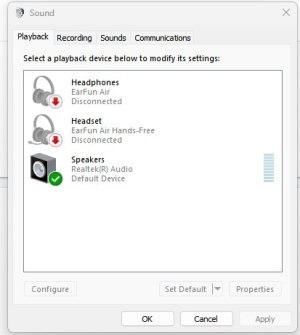
I recently bought a new Stoneforged Lance gaming PC, equipped with an MSI PRO B760M-VC BULK motherboard. The onboard Realtek ALC897 audio doesn't appear in Windows 11 (Device Manager or Sound settings).
Here’s what I’ve tried so far:
Any ideas, similar experiences, or BIOS versions that fixed this for you?
Thanks in advance.
I recently bought a new Stoneforged Lance gaming PC, equipped with an MSI PRO B760M-VC BULK motherboard. The onboard Realtek ALC897 audio doesn't appear in Windows 11 (Device Manager or Sound settings).
Here’s what I’ve tried so far:
- Enabled onboard audio in BIOS (confirmed multiple times).
- Reinstalled Windows 11 from scratch.
- Installed Realtek drivers from MSI’s official support page.
- Realtek doesn’t show at all, even under hidden devices.
- Before formatting, I briefly saw “Realtek High Definition Audio” as a grayed-out hidden device.
- The only working audio is NVIDIA High Definition Audio via DisplayPort (my monitor).
- Tried disabling NVIDIA audio to see if Realtek would reappear — no luck.
- Checked the 3 rear audio jacks — no output detected on Logitech Z313 speakers.
- I’ve seen online mentions of BIOS bugs with Realtek disappearing on B760 boards — could this be the case?
Any ideas, similar experiences, or BIOS versions that fixed this for you?
Thanks in advance.