• We’re currently investigating an issue related to the forum theme and styling that is impacting page layout and visual formatting. The problem has been identified, and we are actively working on a resolution. There is no impact to user data or functionality, this is strictly a front-end display issue. We’ll post an update once the fix has been deployed. Thanks for your patience while we get this sorted.

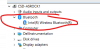
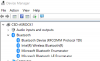
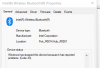
Question Why does my BT show as having an issue in Device Manager

boed

Senior member
Hello,

I have this on 2 different Windows 11 machines - different hardware, different BT units.
1657679311256.png
1657677303520.png


If I uninstall the device, it will come up fine if I rescan

1657677315466.png

1657677324791.png

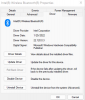
It does this 22.150.0 as well as 22.120.3 (same issue on other machine - different BT unit - tried latest drivers
1657677363540.png


But when I reboot it goes back to the same thing. I've tried downloading the latest drivers and installing but it does the same thing on reboot.

Is there another service besides bluetooth services I should look at?
 
Last edited:
which bluetooth units? how are you connecting them? are these onboard or usb? it seems like one is onboard through a dell and the motherboard is a asrock. are the drivers actually for windows 11? some drivers can be compatible with windows 10 and 11 but there are a lot of drivers that are only good for one or the other.

EDIT: ah I see it says code 43 so your connecting these through usb then? did you just buy these?
 
Last edited:
The onboard built in BT device won't start after a reboot unless I uninstall it and scan for changes. I've complete uninstalled every BT driver in the various device manager views, I've uninstalled the intel software. I've tried the intel direct and Asrock recommended drivers (slightly different). I've uninstalled and removed all drivers inbetween. I've reinstalled - same issue on every reboot.
 
So it turns out when I imaged it to a few PCs I kept updating the image with the new hardware. Usually I can just disable a service or reinstall the intel drivers. In this case, I needed to uninstall the widcom driver package and it resolved the issue.
 
Back
Top