

Win11
Junior Member
PROBLEMS: Windows 11 randomly crashing just prior to login screen and sometimes on Wake-Up - Shows black screen and no response.
Windows and Hardware Specs
Edition Windows 11 Pro
Version 21H2
Installed on 10/12/2021
OS build 22000.493
Experience Windows Feature Experience Pack 1000.22000.493.0
Hello everyone,
Thank you for a great forum. This is my first post, so please forgive me if I miss anything out, but I will do my utmost to provide as much info as possible to help you to assist me.
I have build the above spec pc and installed Windows 11 Pro. Additionally, I also kept my old Microsoft keyboard, mouse and 2 hdds (3tb seagate and 500gb crucial ssd).
Most of the time my PC works fine. I never have any issues such as crashes whilst it's in use. However, once every 5-10 reboots, Windows loads up to the point where it's supposed to show the login screen, but instead I'm shown a black screen and I can't do anything other than to manually reset the PC. The other issue is that once every 5-10 times when I put the pc to sleep, it doesn't wake-up. Again I'm faced with a black screen and I can't do anything other than to manually reset the PC.
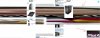
One other problem I have noticed is that some websites are showing corrupt banners and or video, like this one here:
As part of my diagnosis and a process of elimination, I have done the following already:-
My suspicion is that the problem is with corrupt or incompatible drivers of the integrated video card, but I've already tried factory-resetting and reinstalling the drivers, but this has not helped at all I can't seem to fix it, so I'm hoping an expert can give me any tips.
Thanks for your help in advance.
Windows and Hardware Specs
Edition Windows 11 Pro
Version 21H2
Installed on 10/12/2021
OS build 22000.493
Experience Windows Feature Experience Pack 1000.22000.493.0
| AMD Ryzen 5 5600G 3.9GHz Hexa Core AM4 CPU |
| Cooler Master Hyper 212 RGB Black Edition |
| MSI B550M PRO-VDH WIFI mATX Motherboard |
| Corsair CX650F RGB, 80 PLUS Bronze Fully Modular ATX Power Supply |
| Samsung 980 1 TB PCIe 3.0 (up to 3.500 MB/s) NVMe M.2 |
| Crucial Ballistix RGB BL2K8G32C16U4BL 3200 MHz, DDR4, DRAM (16GB) |
| Crucial Ballistix RGB BL2K8G32C16U4BL 3200 MHz, DDR4, DRAM (16GB) |
| DEEPCOOL MACUBE 310, White, Mid Tower Chassis w/ Tempered Glass Window |
| CF120 PLUS 3-in-1 120mm 18 A-R |
| HP x34 Ultrawide Screen Monitor |
Hello everyone,
Thank you for a great forum. This is my first post, so please forgive me if I miss anything out, but I will do my utmost to provide as much info as possible to help you to assist me.
I have build the above spec pc and installed Windows 11 Pro. Additionally, I also kept my old Microsoft keyboard, mouse and 2 hdds (3tb seagate and 500gb crucial ssd).
Most of the time my PC works fine. I never have any issues such as crashes whilst it's in use. However, once every 5-10 reboots, Windows loads up to the point where it's supposed to show the login screen, but instead I'm shown a black screen and I can't do anything other than to manually reset the PC. The other issue is that once every 5-10 times when I put the pc to sleep, it doesn't wake-up. Again I'm faced with a black screen and I can't do anything other than to manually reset the PC.
One other problem I have noticed is that some websites are showing corrupt banners and or video, like this one here:
As part of my diagnosis and a process of elimination, I have done the following already:-
- Removed all old devices and hard drives.
- Changed HDMI/Display cables.
- Updated Windows
- Updated AMD video card drivers via either MSI website or AMD's website.
- Updated MSI BIOS to latest version
My suspicion is that the problem is with corrupt or incompatible drivers of the integrated video card, but I've already tried factory-resetting and reinstalling the drivers, but this has not helped at all I can't seem to fix it, so I'm hoping an expert can give me any tips.
Thanks for your help in advance.
Last edited:


